

IT Safety - Group TrainingIn-Person IT Security Training for your Employees
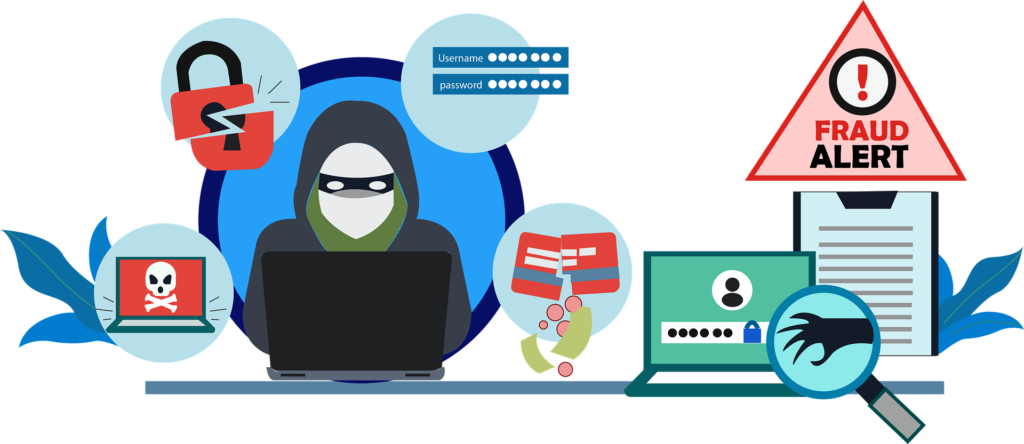
Did you know that most successful cyber attacks are caused by human error?
Employees are your first line of defence against cyber threats. With the right IT security awareness training, staff can learn to recognise threats such as phishing, follow best practices for strong passwords and secure data handling, report incidents effectively, and support compliance requirements. This reduces risk, protects sensitive data, lowers costs, and helps build a strong, security‑first culture as cyber threats continue to evolve.
Regular group IT security training transforms employees from potential vulnerabilities into an informed and proactive defence, safeguarding your organisation’s systems, assets, and reputation.
Interactive Group Training Sessions
Our group training sessions provide an engaging, face‑to‑face learning environment where employees can ask questions, share experiences, and learn from real‑world examples. This interactive format also helps identify individuals who may benefit from additional support or follow‑up training.
Course Delivery
Face‑to‑face group courses are available locally and are typically delivered on a Friday afternoon. Sessions usually last approximately 3–4 hours and are designed to be informative, practical, and easy to apply in everyday working environments.
Group IT Security Training – Key Details
- Suitable for employees, contractors, and associates
- Annual training recommended to maintain security awareness and compliance
- Small group sessions of up to 8 participants per course
- 3–4 hour interactive training, including questions, small‑group exercises, and quizzes
- Certificate of participation provided for each attendee
- Individual feedback supplied to the employer following the session
- Can be delivered as a standalone course or alongside our online video and phishing simulation training

Group IT Security Awareness Training (Face‑to‑Face)
Our face‑to‑face group IT security training is designed for employees, contractors, and associates. If you require management‑level IT security training, please get in touch to discuss your specific needs.
Each session lasts approximately 3–4 hours and is delivered in an interactive group format, combining discussion, practical examples, and hands‑on activities. Some sections include small group exercises, and all attendees complete an individual knowledge quiz at the end of the session.
Training Topics Covered
In‑Person Cyber Risks
Understanding and preventing everyday security risks, including device security, safe information sharing, use of external devices, and general and administrative responsibilities.
Hacking Awareness
An introduction to what hacking is, why it happens, common attack methods, and how cyber attacks can impact your organisation.
Wi‑Fi and Secure Connectivity
Best practices for secure connections, network vulnerabilities, the risks of public Wi‑Fi, and the benefits of using a VPN.
Email Security
How to recognise and manage spam, understand its purpose, and use anti‑virus scanning and email quarantine tools effectively.
Phishing Awareness Training
Why phishing attacks occur, the different types of phishing, how attackers succeed, and how employees can recognise and avoid them.
Passwords and Authentication
Guidance on creating strong, complex passwords, using multi‑factor authentication (MFA), and securely managing credentials with a password manager.
Smartphones and Tablets
Protecting company‑issued mobile devices from hacking, misuse, and unauthorised access.
Personal Devices (BYOD)
Employee responsibilities when using personal devices for work and ensuring they do not introduce risk to the company network.
Data Backups
Understanding different backup methods, how they work, and why reliable backups are essential for business continuity.
Incident Reporting
Aligned with your organisation’s procedures (see Personalisation tab).
IT and Security Policies
Overview and discussion of key company policies (see Personalisation tab).
Customised Group IT Security Training
Selected sections of our face‑to‑face group IT security training can be tailored to your organisation, ensuring the content is relevant, familiar, and aligned with your existing IT procedures and policies.
Pre‑Training Consultation
Ahead of the training session, we take time to understand your business, IT environment, and current security processes. This allows us to tailor examples and terminology to match what your employees already use, making the training more effective and easier to apply in real‑world scenarios.
Incident Reporting Procedures
The incident reporting section of the training can be customised to reflect your internal reporting processes. We include the names of relevant managers and IT contacts, explain how incidents should be reported, and discuss the appropriate communication channels. Legal reporting requirements, including Action Fraud and other statutory obligations, remain a core part of the training.
IT and Security Policies
Company policies are discussed throughout the training to ensure employees understand their purpose, responsibilities, and importance. Where required, we can distribute relevant IT and security policies at the end of the session for employee signature and answer questions wherever possible.
To support accurate delivery, we ask that all policies are provided in advance so they can be reviewed before the training date. Any concerns identified will be shared with you ahead of the session.
Common policies covered include:
- IT Security Policy
- Email and Internet Policy
- Use of Personal Devices for Work Policy
- Bring Your Own Device (BYOD) Policy
- Phishing Policy

IT Support Packages
Business IT support services tailored for small to medium‑sized companies. Compare our flexible ad‑hoc IT support, retainer services, or fully managed monthly IT support packages to find the right level of technical support, monitoring, and expertise for your business.
read more
Monitor and Protect Support
Our Monitor and Protect Business IT Support Package delivers 24/7 monitoring, enterprise anti‑virus software, secure cloud backup, and proactive support—so your business comes first.
read more
Group CyberSecurity Training – In Person
In‑person, group cyber security training for company employees, delivered face to face. Interactive sessions cover key topics including phishing awareness, internet safety, secure connections, and more, with quizzes and an introduction to relevant IT and security policies included.
read more
Online Interactive CyberSecurity Training
Online cyber security training for employees and remote workers, delivering continuous security awareness through realistic phishing simulations. Access dozens of expert‑led training videos, each up to 90 minutes long, available on demand 24/7 to reinforce learning and reduce cyber risk.
read more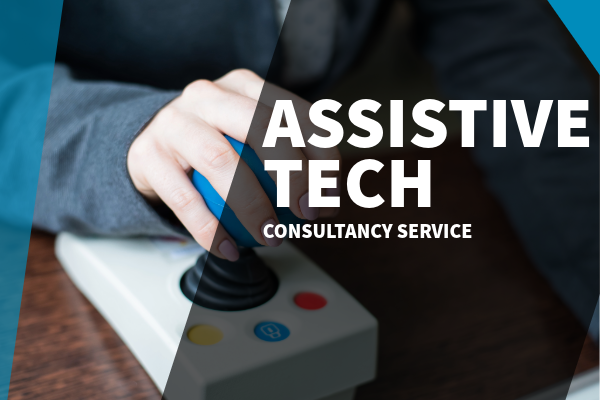
Assistive & Inclusive Technology Consultancy
Our Assistive Technology Consultant supports you and your employees in selecting and sourcing suitable accessible technology for both the workplace and home‑working environments.
read more
Individual CyberSecurity Training, in-person
In‑person, one‑to‑one IT security training for employees, delivered face to face. Each individual session covers essential topics such as phishing awareness, internet safety, secure connections, and more, with interactive quizzes and security policy introductions included.
read moreFind out more...
Use our Contact Page to get in touch with us at Assist Business IT Ltd. our friendly team will be happy to answer any questions.