

What Is Spam Email?How to Avoid Junk, Phishing and Malicious Emails at Work
Email remains one of the most common ways cybercriminal attempt to access business systems. Although many spam and phishing emails are filtered out automatically, some make it through — relying on human error rather than technical weakness.
Understanding what spam email is, how security scans work, and how to recognise malicious content is one of the most effective ways to protect both your device and your organisation.
What Are Spam and Junk Emails?
Spam email — also known as junk email — is unsolicited and unwanted email sent in bulk to large numbers of recipients. While some spam emails are simply marketing or advertising messages, others are designed to be harmful.
Cybercriminal frequently use spam emails to deliver phishing attacks, scams and malware. Because these emails are sent at scale, attackers only need a small number of people to engage for an attack to succeed.
Why You Should Never Open Spam Emails
Opening spam emails can appear harmless, but it can have consequences. Many spam messages contain tracking tools that alert the sender when an email has been opened. This confirms that your email address is active, often resulting in more spam or targeted phishing attempts.
A good rule of thumb is simple: if an email looks too good to be true — such as unexpected prizes, urgent refunds or dramatic warnings — it probably is.
How to Handle Spam Safely
If spam reaches your inbox:
- Do not open the email
- Do not click links or download attachments
- Move it directly to your Junk or Spam folder
Reporting spam helps your email system improve filtering and protects colleagues from similar messages.
Security Scans, Email Warnings and Quarantine Explained
Modern email and antivirus systems automatically scan incoming emails, links and attachments for malicious content. These background scans play a critical role in email security.
Why Email Security Scans Matter
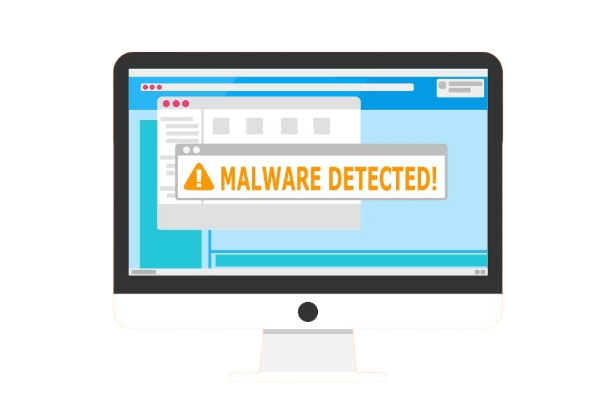 When suspicious content is detected, your system may:
- Quarantine the email automatically
- Display a security warning when you open it
- Block an unsafe link or attachment
Never cancel or bypass a security scan. Even a brief delay is far safer than allowing a malicious email to run unchecked, which could compromise your device and wider network.
Never Ignore a Security Warning
Email security warnings exist to protect you. Even if the email appears legitimate, never override a warning to access content.
If you believe a warning has been triggered incorrectly, contact your IT team before clicking anything. They can safely review the email and confirm whether it is genuine.
What Is Email Quarantine?
Email quarantine is a secure holding area for messages flagged as potentially dangerous. Quarantined emails are isolated to prevent harm.
Only IT teams or authorised administrators can review and release quarantined emails. You should never attempt to release one yourself without guidance.
What Is a Malicious Email?
A malicious email is any email designed to cause harm. This may include attempts to:
- Steal confidential information
- Commit financial fraud
- Gain access to systems or networks
- Install malware or spyware
These emails are often disguised as messages from trusted organisations, reputable companies or even colleagues.
Common Signs of Phishing and Malicious Emails
Cybercriminal rely on urgency and pressure to prompt mistakes. Warning signs include emails that:
- Demand immediate action (“Act now” or “Final warning”)
- Threaten account closure or suspension
- Ask for passwords, payment details or personal information
Stop and think before responding. Legitimate organisations will never pressure you into bypassing security controls or sharing sensitive information by email.
How to Protect Yourself from Spam and Phishing Emails
Before interacting with any email, ask yourself:
- Was I expecting this message?
- Does the sender’s address look correct?
- Is the tone urgent, threatening or unusual?
- Am I being asked for confidential information?
If in doubt, don’t click — contact your IT team for advice.
Final Thoughts
While technology provides strong protection against spam and malicious emails, people are still the final line of defence. Most successful cyberattacks happen because someone feels rushed into making a quick decision.
By staying alert, trusting security warnings and knowing when to ask for help, you help keep your organisation secure. When it comes to email security, slowing down can make all the difference.
Group CyberSecurity Training – In Person
In‑person, group cyber security training for company employees, delivered face to face. Interactive sessions cover key topics including phishing awareness, internet safety, secure connections, and more, with quizzes and an introduction to relevant IT and security policies included.
read more
Online Interactive CyberSecurity Training
Online cyber security training for employees and remote workers, delivering continuous security awareness through realistic phishing simulations. Access dozens of expert‑led training videos, each up to 90 minutes long, available on demand 24/7 to reinforce learning and reduce cyber risk.
read more
Individual CyberSecurity Training, in-person
In‑person, one‑to‑one IT security training for employees, delivered face to face. Each individual session covers essential topics such as phishing awareness, internet safety, secure connections, and more, with interactive quizzes and security policy introductions included.
read more